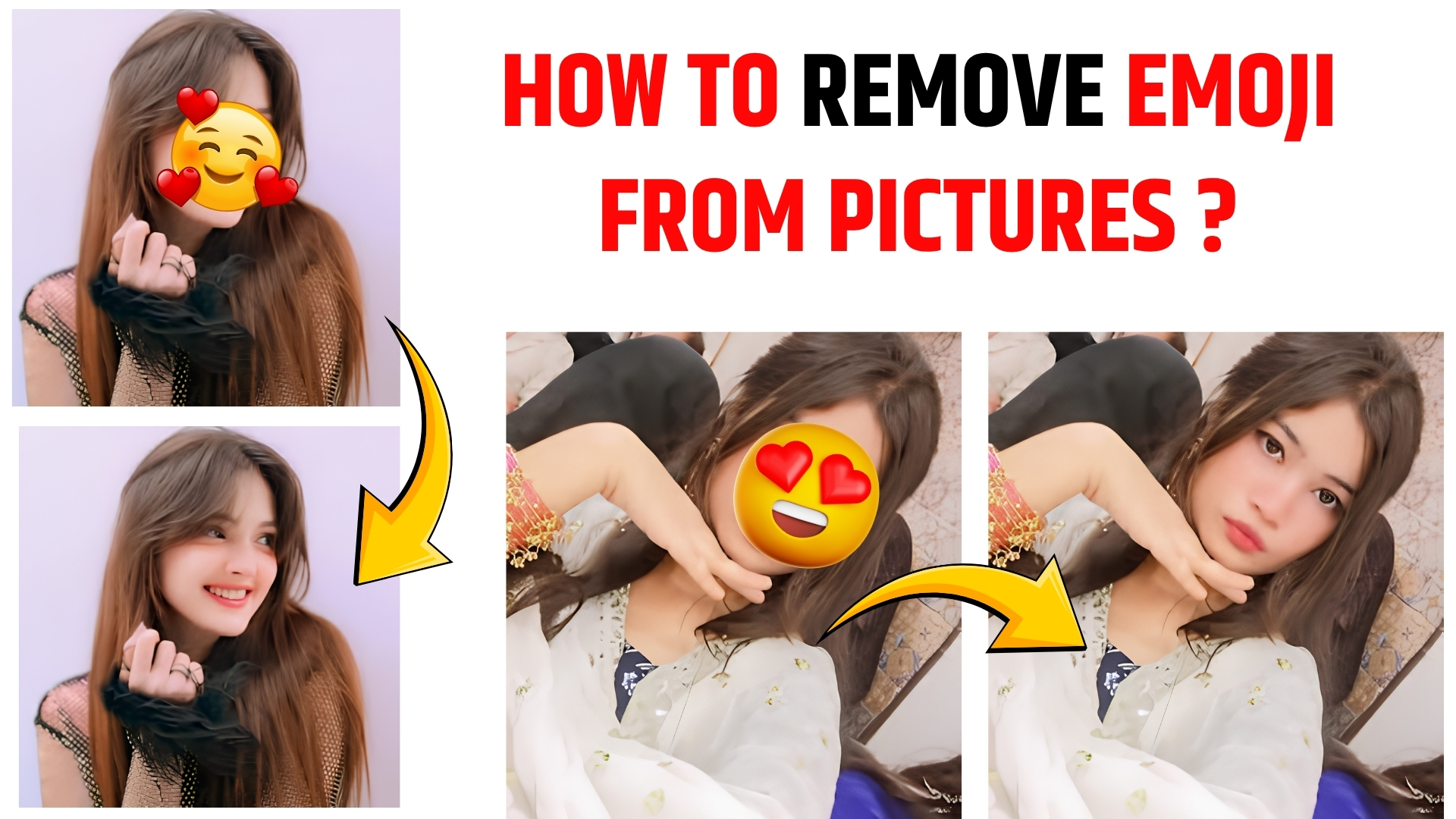
How to Remove Emoji from Pictures (Easy & Effective Methods in 2026)

In today’s digital world, photos are often edited before being shared on social media. One common trend is placing emojis over faces—for privacy, fun, or storytelling. However, there are many situations where you may want to remove those emojis later and restore the original look of the image.
The truth is: removing emojis from a picture in a single click is not always possible because emojis are baked into the pixels of the image. Still, with modern tools and AI-powered editors, the process has become much easier, faster, and more accurate than ever.
In this guide, you’ll learn practical, beginner-friendly, and advanced methods to remove emojis from photos—while maintaining image quality.
Why Removing Emojis Matters
Emoji overlays might seem harmless, but they can reduce the overall quality and usefulness of a photo.
Here’s why removing them can be important:
- Better Visual Appeal – Clear images look more professional
- Content Reuse – Useful for blogs, portfolios, or branding
- Facial Expression Restoration – Helps convey real emotions
- Professional Editing Needs – Required for marketing or client work
For content creators (like YouTubers or Instagram influencers), clean images can significantly improve engagement.
Can You Remove Emoji in One Click?
Let’s be honest—true one-click emoji removal is still limited.
Why?
- Emojis are not separate layers
- They replace original pixels permanently
- The original data behind the emoji is lost
However, AI tools are changing the game. Some tools can auto-fill the missing area intelligently, making it feel like a one-click solution.
Best Tools to Remove Emojis from Pictures
Here are some popular tools (both free and paid) that can help:
1. Adobe Photoshop
- Best for professional editing
- Offers Clone Stamp & Content-Aware Fill
- High accuracy but requires skill
2. Snapseed
- Free and beginner-friendly
- Healing tool works great for small emojis
3. Remove.bg (with editing features)
- Uses AI for quick edits
- Works best for simple backgrounds
4. Fotor
- Online tool with AI retouch
- Easy for beginners
5. Cleanup.pictures
- Almost “one-click” experience
- Ideal for quick emoji removal
Step-by-Step Method (Beginner Friendly)
Let’s break down a simple process you can follow using most tools:
Step 1: Open Your Image
Upload your image into your editing software.
Step 2: Zoom into the Emoji Area
Focus on the emoji so you can work with precision.
Step 3: Select the Emoji
Use tools like:
- Lasso Tool
- Brush Selection
- AI Auto-select
Step 4: Remove or Replace
You can choose one of these options:
- Healing Tool – blends surrounding pixels
- Clone Stamp Tool – copies nearby areas
- Content-Aware Fill – AI fills the space
Step 5: Blend the Area
Use blur or smudge tools to smooth edges.
Step 6: Final Adjustments
Adjust brightness, color, and texture to make it look natural.
Step 7: Save the Image
Export in high quality (PNG or high-res JPG).
AI-Based “One Click” Methods
If you want something faster, try AI tools.
How AI Works:
- Detects unwanted object (emoji)
- Analyzes surrounding pixels
- Reconstructs missing area
Best for:
- Simple backgrounds
- Small emoji overlays
Limitations:
- Faces may not be restored perfectly
- Complex areas can look artificial
Still, for quick social media edits, AI tools are incredibly powerful.
Challenges in Removing Emojis
Removing emojis isn’t always perfect. Here are common challenges:
1. Loss of Original Data
The biggest issue—original pixels are gone.
2. Face Reconstruction Difficulty
If emoji covers:
- Eyes
- Nose
- Mouth
Then realistic restoration becomes hard.
3. Background Complexity
Patterns and textures are difficult to rebuild.
4. Lighting & Shadows
Mismatch in lighting can make edits obvious.
Tips for Beginners
If you’re just starting, keep these tips in mind:
- Start with simple images
- Use high-resolution photos
- Avoid over-editing
- Practice blending techniques
- Try AI tools before manual editing
Advanced Techniques (Pro Level)
For experienced editors:
Frequency Separation
- Helps retain skin texture
- Used in professional retouching
Layer Masking
- Allows non-destructive editing
Manual Reconstruction
- Redraw missing facial features
- Requires artistic skills
AI + Manual Hybrid Editing
- Combine AI tools with Photoshop finishing
Online vs Offline Editing
Online Tools
Pros:
- Easy to use
- No installation
- Fast results
Cons:
- Limited control
- Internet required
Offline Software
Pros:
- More powerful
- High-quality output
Cons:
- Learning curve
- Requires system resources
Common Mistakes to Avoid
- Over-blurring the image
- Ignoring lighting consistency
- Using low-resolution images
- Not zooming in for detail work
- Relying only on one tool
Legal & Ethical Considerations
Before editing photos:
- Always ensure permission if the image is not yours
- Avoid misuse of someone’s identity
- Respect privacy and consent
This is especially important for creators and professionals.
Impact on Social Media
Clean, emoji-free images can:
- Improve engagement
- Build trust
- Look more professional
- Enhance storytelling
Influencers and brands now prefer authentic visuals over heavily edited ones.
Future of Emoji Removal
AI is rapidly evolving. In the near future, we can expect:
- True one-click realistic restoration
- Face reconstruction using AI models
- Automated editing inside smartphones
- Real-time emoji removal in videos
FAQs
Can I completely restore the original face?
Not always. If the emoji covered key facial features, full recovery is difficult.
Are free tools good enough?
Yes, for basic edits. For professional work, advanced tools are better.
Does emoji removal reduce image quality?
It can, but proper editing minimizes the loss.
Can emojis be removed from videos?
Yes, using video editing software with frame-by-frame correction or AI tools.
Conclusion
Removing emojis from pictures is no longer a complicated task. While true one-click perfection is still evolving, modern AI tools and editing software have made the process easier than ever.
Whether you are a beginner or a professional content creator, the key is to choose the right tool and technique based on your needs. With practice and the right approach, you can achieve clean, natural-looking images that enhance your content and storytelling.

Viral Pur
ViralPur.Com पर आपका स्वागत है! हम एक ऐसी विश्वसनीय और बहुआयामी वेबसाइट हैं, जहां आपको हर प्रकार की जानकारी एक ही स्थान पर मिलती है। हमारा उद्देश्य है कि आप तक सटीक, उपयोगी और रोचक जानकारी आसानी से पहुंचाई जाए। हमारा मिशन है कि हम अपने पाठकों को जानकारी पूर्ण, रोचक और सटीक सामग्री प्रदान करें। ViralPur.Com पर आपको न सिर्फ ताज़ा खबरें मिलेंगी, बल्कि हर वह जानकारी मिलेगी, जो आपके जीवन को आसान और बेहतर बनाए। हर खबर पहले पाने के लिए सब्सक्राइब करें और बेल आइकॉन को दबायें !धन्यवाद |