
Tensor.Art: A Powerful AI Image Generator for Digital Creators (2026 Guide)
Artificial Intelligence is changing the way creative content is produced, and Tensor.Art is one of the platforms helping creators generate high-quality visuals with ease. Whether you are a blogger, designer, marketer, or social media creator, Tensor.Art provides an easy way to turn ideas into stunning AI-generated images.
In this article, you’ll learn what Tensor.Art is, its main features, and why it has become a popular choice for AI image generation.
What is Tensor.Art?
Tensor.Art is an AI-powered image generation platform that creates images from text prompts. Users simply describe the image they want, and the AI generates unique artwork based on those instructions.
The platform is commonly used for:
- AI artwork
- Character illustrations
- Fantasy scenes
- Blog graphics
- Social media content
Its growing library of AI models gives creators more flexibility to experiment with different styles.
Key Features of Tensor.Art
1. Text-to-Image Generation
Tensor.Art converts detailed text prompts into high-quality images within minutes. The better the prompt, the more accurate the generated image.
2. Multiple AI Models
One of Tensor.Art’s biggest strengths is its support for different AI models and artistic styles. Users can choose the model that best fits their creative needs.
3. High-Resolution Image Output
The platform produces detailed and high-quality visuals suitable for websites, presentations, social media, and digital marketing.
4. Community Creations
Tensor.Art also allows users to explore artwork created by other creators, making it a useful source of inspiration for new projects.
How Creators Use Tensor.Art
Content creators use Tensor.Art for:
- YouTube thumbnails
- Blog featured images
- Digital posters
- Marketing creatives
- Character concept art
These visuals help make online content more attractive and engaging.
Benefits of Using Tensor.Art
Some key advantages include:
- Fast image generation
- Multiple creative styles
- Beginner-friendly interface
- High-quality visuals
- Creative flexibility
These features help creators produce professional-looking content without complex design software.
Tips for Better Results
For the best output:
- Write detailed prompts
- Mention lighting, colors, and camera style
- Test different AI models
- Generate multiple variations before choosing the final image
Experimenting with prompts often leads to better creative results.
Conclusion
Tensor.Art is an excellent AI image generation platform for anyone looking to create unique digital visuals quickly and efficiently. With its wide range of AI models, simple interface, and high-quality output, it has become a valuable tool for modern content creators.
As AI-powered creativity continues to evolve, platforms like Tensor.Art will play an increasingly important role in helping creators produce original and visually engaging content.

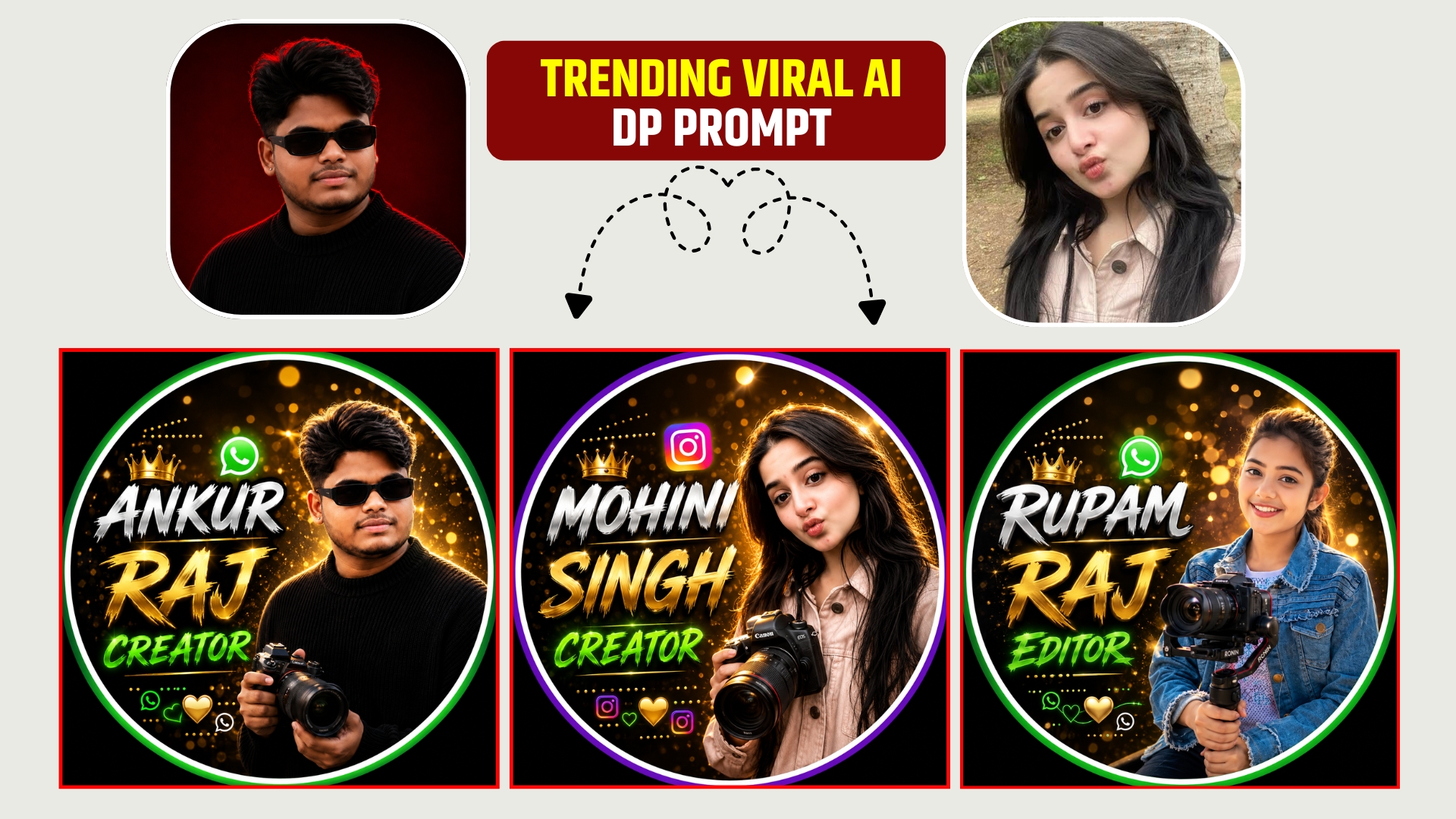
Use the uploaded photo as the exact face reference. Keep the face, hairstyle, expression, skin tone, and identity unchanged. Create a premium 1:1 (1080×1080) WhatsApp-style profile picture with a thick green and white circular border on a black background. Place the person on the right holding a professional golden bokeh background, cinematic lighting, and ultra-HD quality. On the left, add stylish editable text: [ANKUR] in bold white 3D script, [RAJ] in metallic gold, and [CREATOR] in glowing green brush font. Include a WhatsApp logo, small golden crown, sparkles, decorative dots, heart and WhatsApp icons at the bottom. Clean, modern, luxury social media branding, realistic, high-detail, premium editing, exact style of the reference with editable name text.
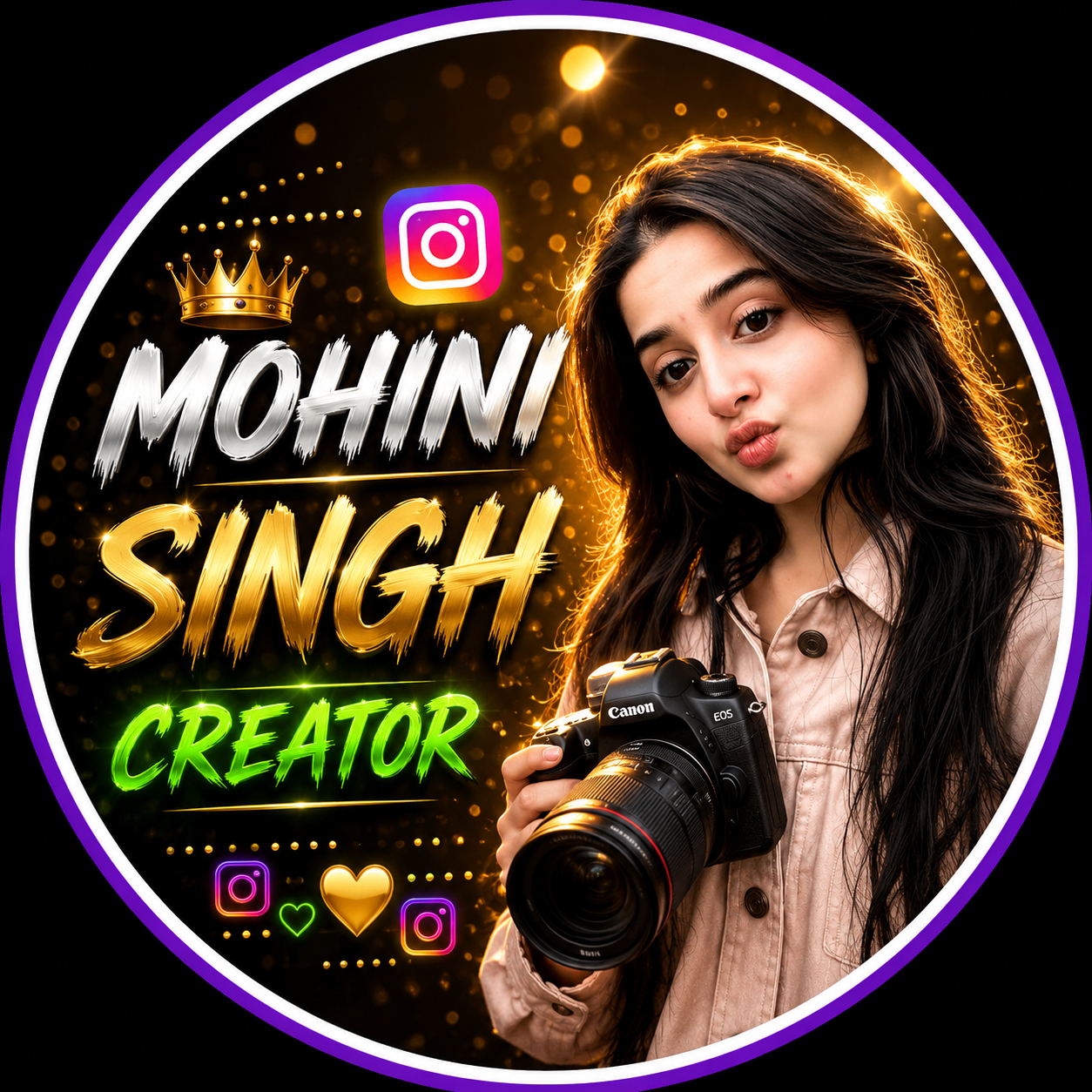
Use the uploaded photo as the exact face reference. Keep the face, hairstyle, expression, skin tone, and identity unchanged. Create a premium 1:1 (1080×1080) Instagram -style profile picture with a thick purple and white circular border on a black background. Place the person on the right holding a professional golden bokeh background, cinematic lighting, and ultra-HD quality. On the left, add stylish editable text: [MOHINI] in bold white 3D script, [SINGH] in metallic gold, and [CREATOR] in glowing green brush font. Include a Instagram logo, small golden crown, sparkles, decorative dots, heart and Instagram icons at the bottom. Clean, modern, luxury social media branding, realistic, high-detail, premium editing, exact style of the reference with editable name text.Lorem ipsum dolor sit amet, consectetur adipiscing elit. Ut elit tellus, luctus nec ullamcorper mattis, pulvinar dapibus leo.

Viral Pur
ViralPur.Com पर आपका स्वागत है! हम एक ऐसी विश्वसनीय और बहुआयामी वेबसाइट हैं, जहां आपको हर प्रकार की जानकारी एक ही स्थान पर मिलती है। हमारा उद्देश्य है कि आप तक सटीक, उपयोगी और रोचक जानकारी आसानी से पहुंचाई जाए। हमारा मिशन है कि हम अपने पाठकों को जानकारी पूर्ण, रोचक और सटीक सामग्री प्रदान करें। ViralPur.Com पर आपको न सिर्फ ताज़ा खबरें मिलेंगी, बल्कि हर वह जानकारी मिलेगी, जो आपके जीवन को आसान और बेहतर बनाए। हर खबर पहले पाने के लिए सब्सक्राइब करें और बेल आइकॉन को दबायें !धन्यवाद |